Simple headshot
Representative result

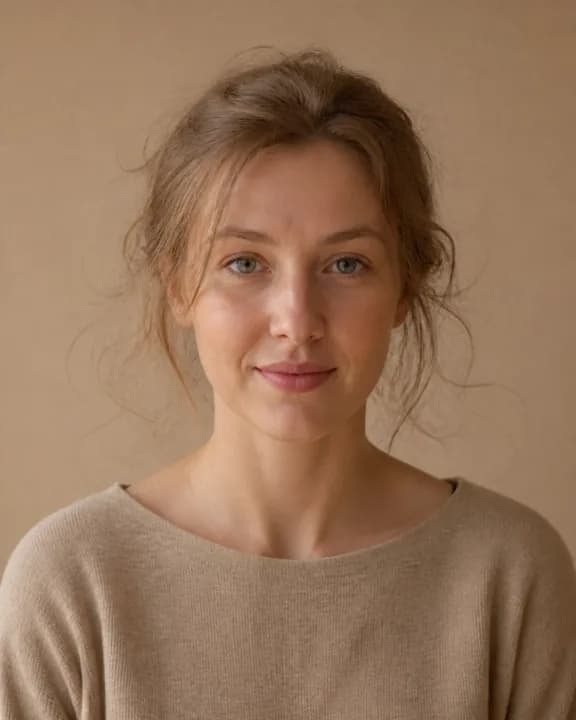
A generated head-and-shoulders portrait with clear tonal separation provides the baseline case.
Synthetic fictional person generated specifically for this demo; not a customer or identified real person.
For Headshots & ID Photos
A professional headshot can help you present a consistent image, and you can start with a phone selfie, tourist photo, or Zoom screenshot. Upload a portrait to separate the subject from the background for LinkedIn, a resume, a passport-style ID photo, or your team's About page. Processing time varies with the image, selected model, provider load, and network. The download format is PNG. To keep a transparent background, leave the background transparent rather than selecting an opaque background color. Inspect the result before using it for an ID photo.
or drag and drop here
Supports PNG, JPG, WEBP and other common formats
Each result below is the untouched PNG returned by the current preset on our recorded staging runtime. Generated demo inputs are disclosed, and difficult results stay visible.
A generated head-and-shoulders portrait with clear tonal separation provides the baseline case.
Synthetic fictional person generated specifically for this demo; not a customer or identified real person.


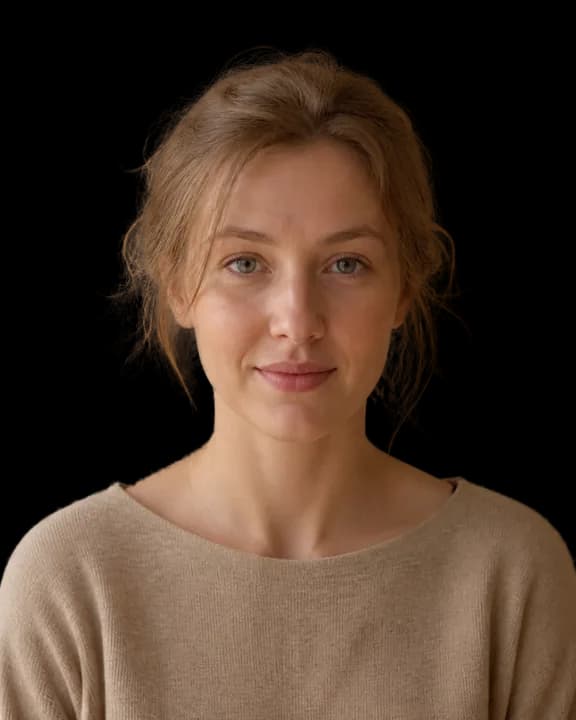
High background contrast makes the committed curl-edge behavior easy to inspect.
Synthetic fictional person generated specifically for this demo; not a customer or identified real person.


Thin frames and small earrings provide inspectable edge details without claiming guaranteed preservation.
Synthetic fictional person generated specifically for this demo; not a customer or identified real person.
Several loose strands merge with the similarly colored wall; the limitation is visible and the output was not retouched.
Synthetic fictional person generated specifically for this demo; not a customer or identified real person.
Drag in a JPG, PNG, or WEBP. Phone photos, screenshots, and webcam captures are supported. For ID photos, shoot against a contrasting wall first to give the AI an easier edge.
Auto chooses the available removal route. Choose an explicit model in Advanced settings when you need manual edge controls.
Select a compatible explicit model before enabling Alpha Matting. The Portrait preset already selects birefnet-portrait and enables the current 240/10/10 settings.
Use the compare slider to inspect the hairline and earring edges. The download format is PNG. To keep a transparent background, leave the background transparent rather than selecting an opaque background color. Edge pixels or export dimensions may change; inspect the result.
Drop the cutout onto a brand-coloured backdrop or LinkedIn's default grey for a polished, consistent look across all your social profiles.
A clean white-background portrait can help keep a CV presentation consistent. Review the result before using it.
Country requirements vary on background colour (often pure white or light grey). Choose #ffffff for pure white and verify the applicable requirements before publishing or printing.
Give your company's About page a uniform headshot row, even when the photos came from different phones, locations, and lighting setups.
Auto chooses the available removal route. Choose an explicit model in Advanced settings when you need manual edge controls. Inspect the result after choosing an explicit model.
Select a compatible explicit model before enabling Alpha Matting. The Portrait preset already selects birefnet-portrait and enables the current 240/10/10 settings.
Passport and ID-photo requirements vary. Crop the image as needed, then verify dimensions, head position, background, and the processed result against the current issuing authority's rules.
Pale grey for LinkedIn, pure white for resumes and US passports, off-white for UK passports. Composite by setting the background colour after the cut.
Strong light behind the subject can create a dark silhouette. Use a photo with clear separation between subject and background, then inspect the result.
Select a compatible explicit model before enabling Alpha Matting. The Portrait preset already selects birefnet-portrait and enables the current 240/10/10 settings. Inspect the result, especially around fine details.
The AI can treat items physically attached to the subject as part of the subject. Inspect the result for frames, jewelry, hats, and headphones.
The model may treat all human subjects together. If you only want one person, crop them out before uploading. Download the mask for use in an external editor.
Background removal alone does not make a passport photo compliant. Verify dimensions, head position, expression, background, and other current requirements with the issuing authority before printing or submitting.
Harsh shadows or backlighting can reduce cutout quality and are not corrected by background removal. If possible, retake the photo with even front lighting, then inspect the result.
Uploads may use short-lived VPS storage and are deleted after processing or expiry cleanup. Review the current privacy information before uploading sensitive images.
Edge pixels or export dimensions may change; inspect the result. Verify the dimensions and current requirements before using a result for printing or an ID photo.
Remove backgrounds from product photos with a PNG download. Free AI tool for Shopify, Amazon, and eBay listings — no signup, no watermark.
Remove an image background and download a PNG. Processing time varies with the image, selected model, provider load, and network.
Step-by-step guide to removing white backgrounds from images. Use the tool to upload an image and download a PNG.
Three free runs every day, then 100 credits for $4.99. No signup, no watermark.
Try the background remover