removebg.help

Free · No signup · No watermark

Remove Image Background

Drop a JPG, PNG, or WebP up to 25 MB. Download a transparent PNG, or choose an opaque background in the workspace. Product, Portrait, and Logo presets start with settings for those image types; inspect fine edges before use.

or drag and drop here

Supports PNG, JPG, WEBP and other common formats

Reviewed background removal results

These project-generated examples use the same Product, Portrait, and Logo presets available in the tool. Review the edge notes before choosing a workflow.

Product preset · matte sneaker

Reviewed result
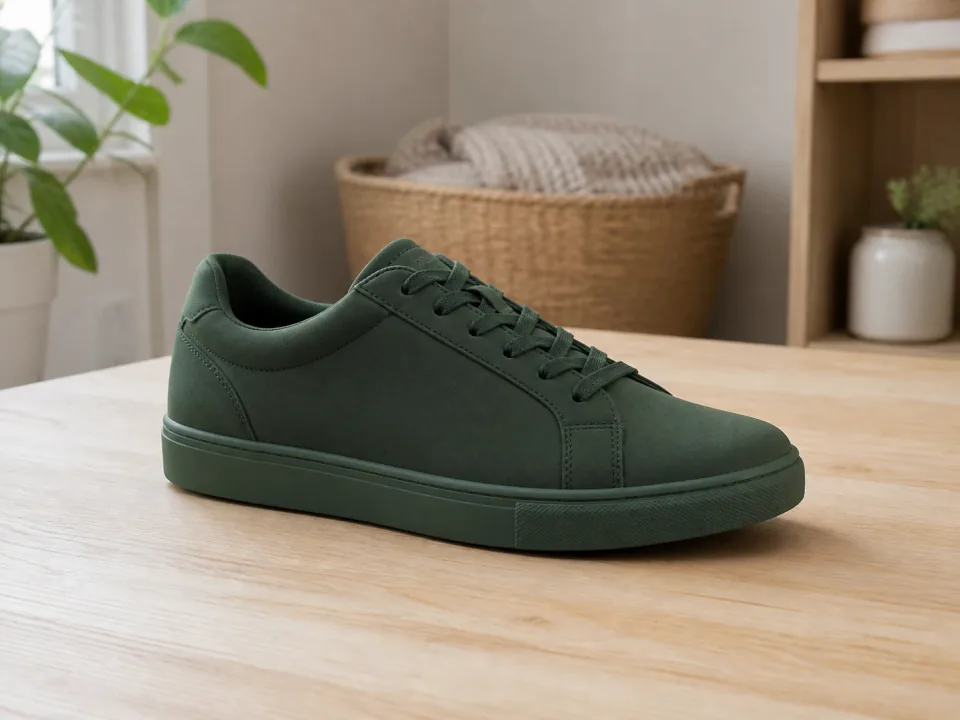
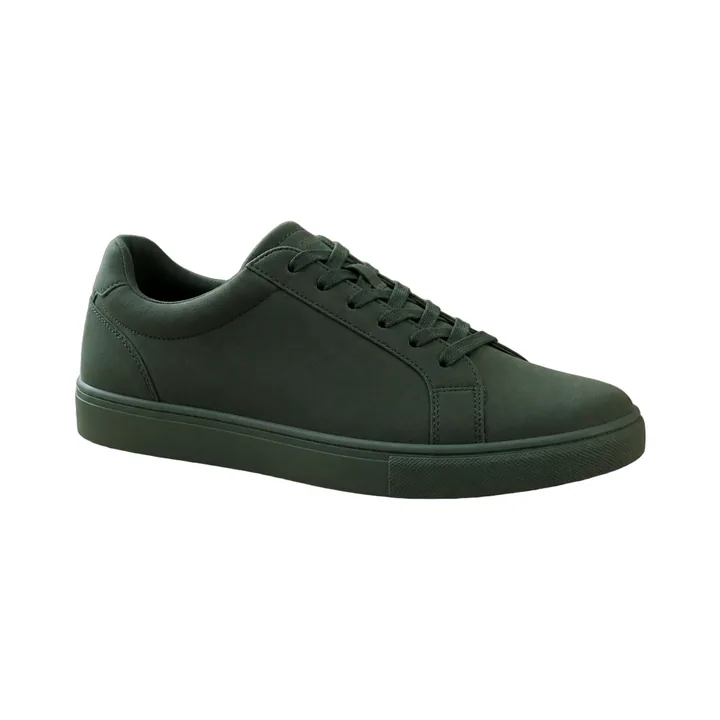
Matte sneaker before background removal
Before
Matte sneaker after the Product preset creates a white square output
After

An unbranded matte sneaker provides a clear product boundary and visible sole details on the white square output.

Generated fictional product photograph created for this demo; not a customer image.

Review product-photo examples


Portrait preset · similar-tone hair

Known limitation
Fictional portrait with loose hair before background removal
Before
Portrait result with visible loss in similar-tone loose hair
After

Several loose strands merge with the similarly colored wall; the limitation is visible and the output was not retouched.

Synthetic fictional person created for this demo; not a customer or identified real person.

Review portrait examples

Logo preset · bold wordmark

Reviewed result
Fictional bold wordmark before background removal
Before
Bold wordmark after background removal on a transparent checkerboard
After

A high-contrast wordmark with broad letterforms provides a clear hard-edge example on a transparent output.

Project-generated fictional logo created for this demo; not a customer logo.

Review logo examples

How it works

This service runs in a supported web browser and does not require installing desktop software.

  1. 1

    Upload your image

    Drag and drop, or click to choose. PNG, JPG, WEBP up to 25 MB.

  2. 2

    AI removes the background

    Processing time varies with the image, selected model, provider load, and network.

  3. 3

    Download PNG

    Download a PNG and inspect the result before using it. To keep a transparent background, leave the background transparent rather than selecting an opaque background color.

Choose a workflow for your image

Background removal tools and guides

Choose a workflow for your image type, file format, or editing goal.

Frequently asked questions

Is this background remover free to try?

You can process up to three images free each day without creating an account. Paid credits are available after the daily free allowance is used. PNG downloads have no watermark.

What image formats are supported?

We support PNG, JPG, JPEG, and WEBP. The download format is PNG. To keep a transparent background, leave the background transparent rather than selecting an opaque background color.

Do I need to sign up?

No. Just open the page, drop an image, and download the result. No login required.

Are my images stored on your server?

Uploads may use short-lived VPS storage and are deleted after processing or expiry cleanup. We do not use your images for training.

Can it handle hair, fur, or transparent objects?

Select a compatible explicit model before enabling Alpha Matting. The Portrait preset already selects birefnet-portrait and enables the current 240/10/10 settings. Auto chooses the available removal route. Choose an explicit model in Advanced settings when you need manual edge controls. Auto does not expose Alpha Matting. Inspect the result before using it.

Why is the result wrong on my image?

Try switching the model in advanced settings — birefnet-portrait for people, isnet-anime for illustrations, u2net_human_seg for full-body photos. Credits pay for image operations; infrastructure rate limits still apply.

Can I process more than one image?

This page currently processes one image at a time.

What dimensions does the download use?

Original-canvas output follows the provider canvas. Square output is 2000 × 2000.

Free daily AI background removal. Processing time varies with image size, model, provider, and current load.